What is the Inbox
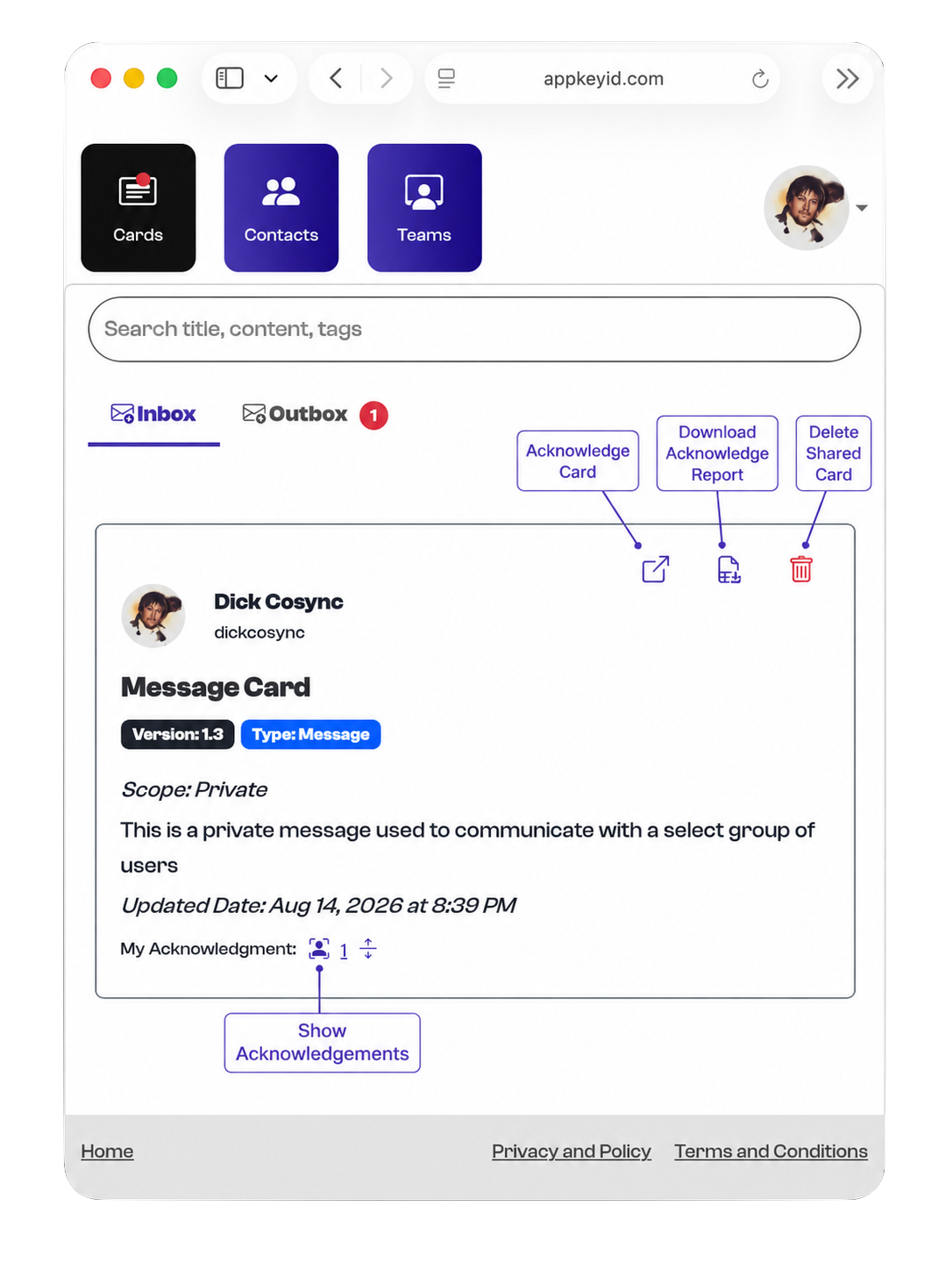
Acknowledge Card
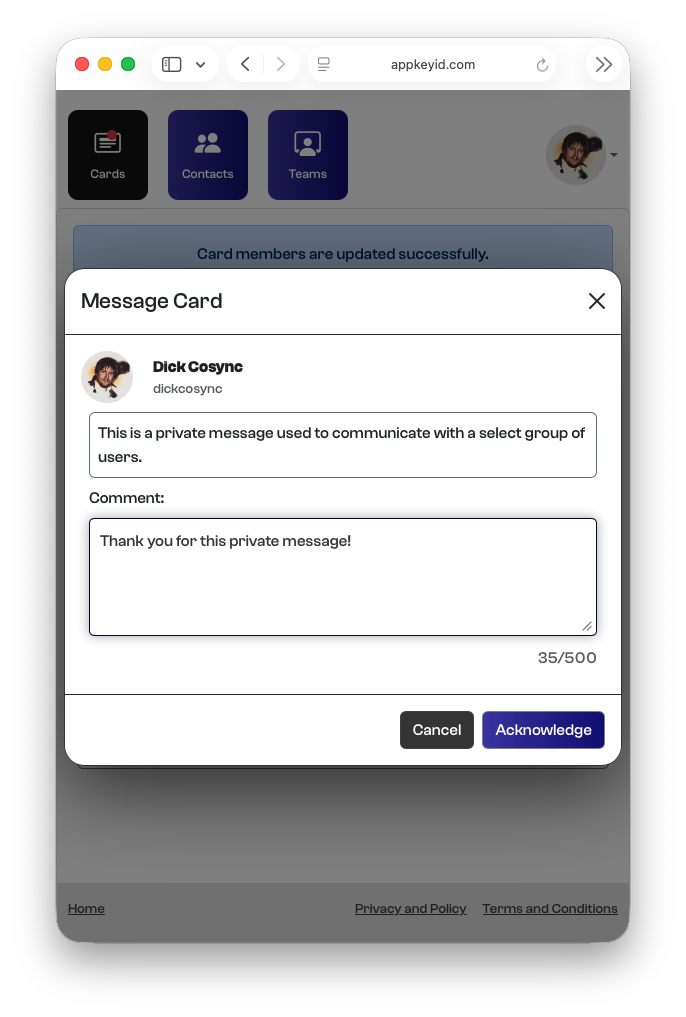
The Acknowledge Card icon allows a user to acknowledge a card that has been received in their Inbox. Acknowledgement is the foundation of Attested Communication, providing a verifiable record that a specific user acknowledged a specific card.
When acknowledging a card, the user may also leave a Markdown-formatted comment for the card’s author. Both the acknowledgement and any accompanying comment become part of the permanent record associated with that card.
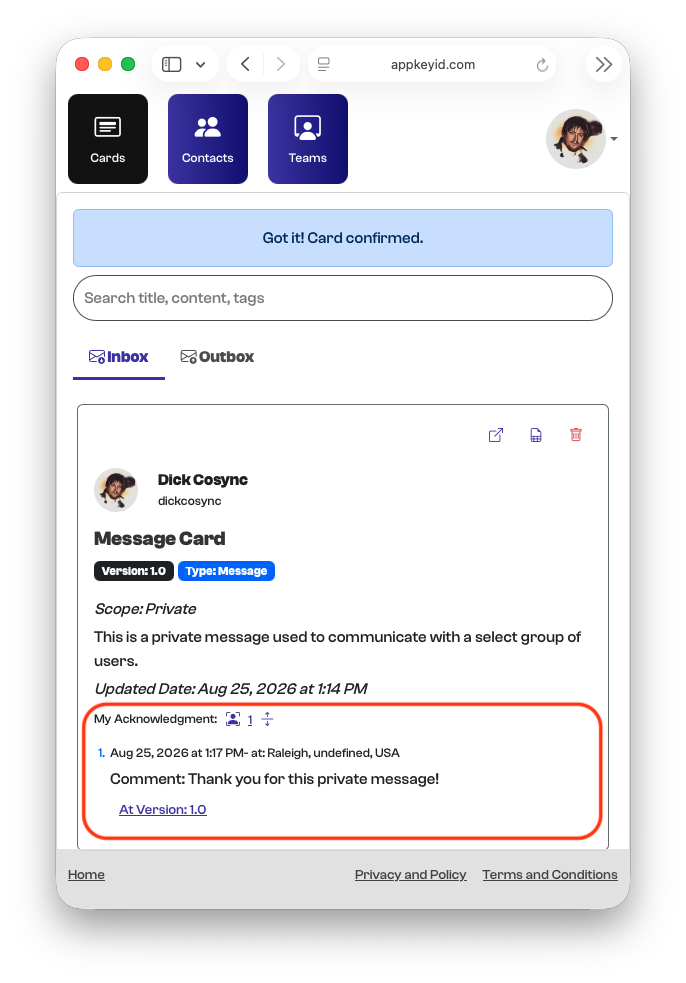
The Show Acknowledgements icon displays the complete history of the user’s acknowledgements for the card, including all acknowledgements made across its different versions.
Download Acknowledge Report
One of AppKeyId’s most useful features is its reporting capability. Our philosophy is that activity associated with Attested Communication should be easy to export, review, and preserve outside of AppKeyId.
For this purpose, AppKeyId uses the CSV (Comma-Separated Values) format. CSV is a simple, text-based format that can be opened by most spreadsheet applications and easily imported into other applications, including word processors and reporting tools.
The acknowledgement report provides a straightforward record of who acknowledged a card and when the acknowledgement occurred.
To generate a report, click the Download Acknowledgement Report icon for the desired card. AppKeyId will download a CSV file containing the card’s acknowledgement history. Opening the downloaded report displays the acknowledgement information in a table similar to the following:

Delete Shared Card
The Delete Shared Card icon is used to remove a card from the user’s Inbox and end that user’s access to it. Once removed, the card will no longer appear in the Inbox and the user will no longer be able to access the shared card.
This action does not delete the original card from the author’s Outbox. It only removes the sharing relationship between the card and the user.