What is the outbox
The Outbox in the Cards tab contains all cards authored by the user. Cards are displayed in reverse chronological order, with the most recently created or updated cards appearing first. Each card is shown as a rectangular panel displaying the title, version, card type (shown in blue or red), and a preview of the card’s content. In the upper-right corner of the card are a set of action icons used to manage the card: Edit Card, Create Email Template, Delete Card, Edit Members (for message cards), and Card History.
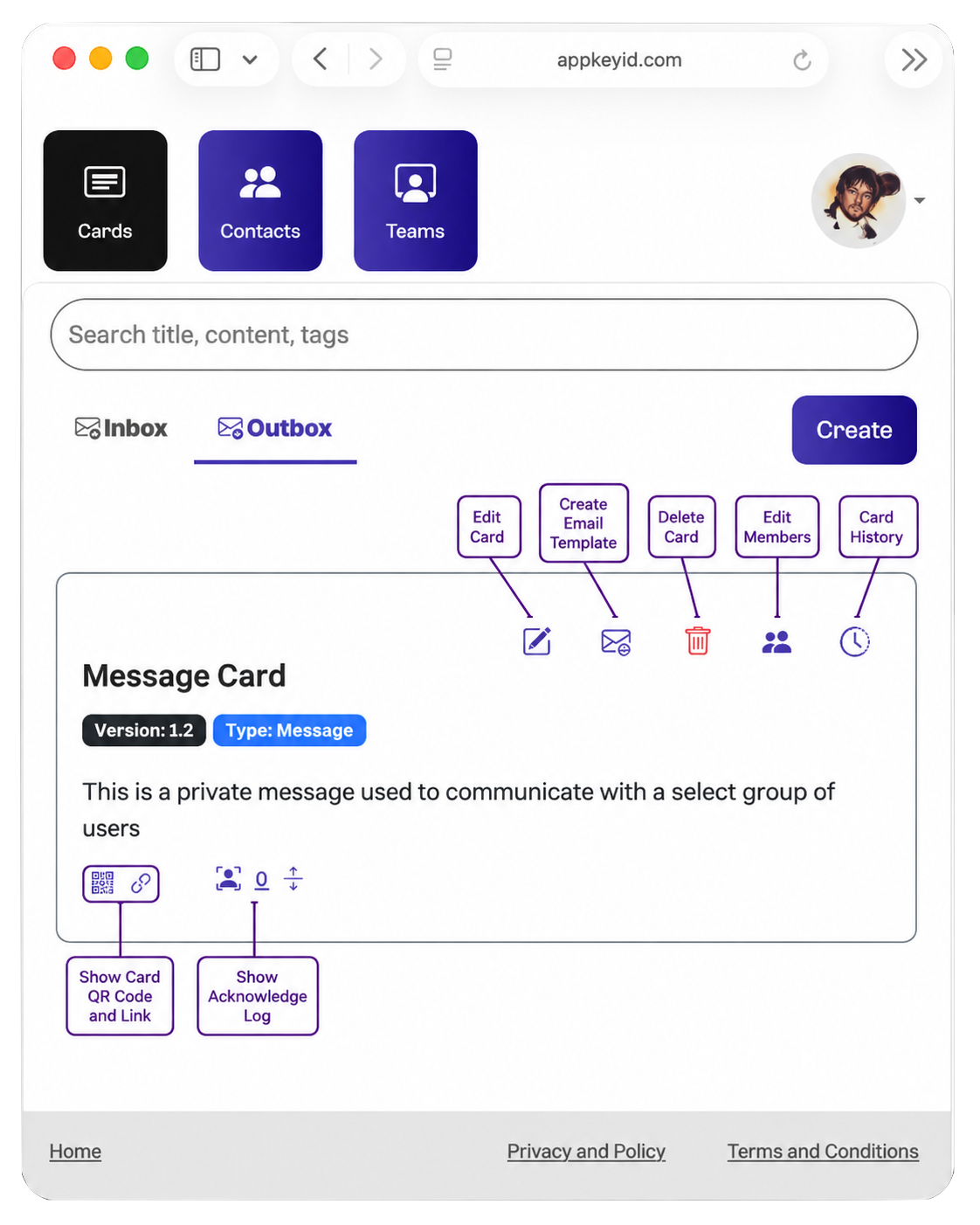
Create Email Template
The Acknowledge Email Template controls the email notifications sent when a recipient acknowledges a card. You can choose whether an email is sent to the recipient, the author, or both. These notifications provide an additional record of the attested communication by documenting that a specific user acknowledged a specific card.
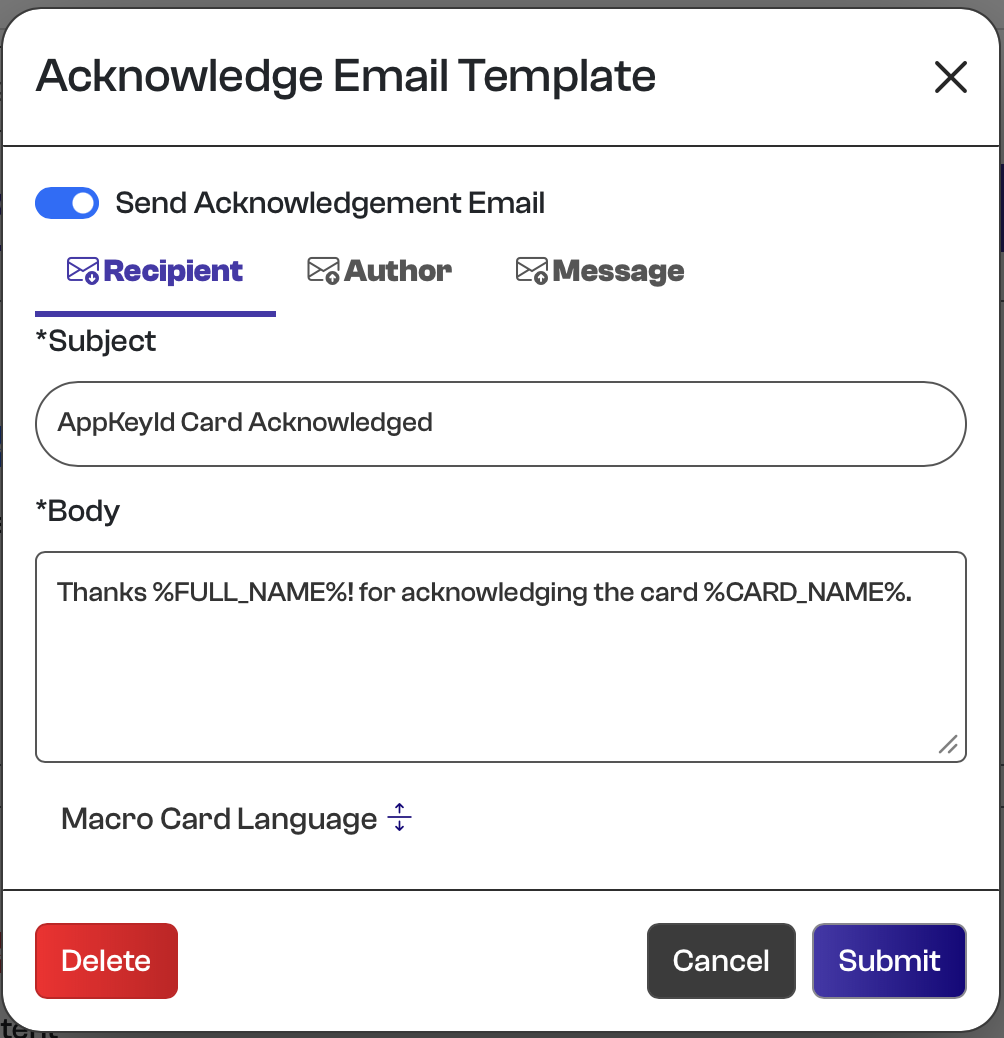
- Recipient - controls the message sent to a user after acknowledging a card
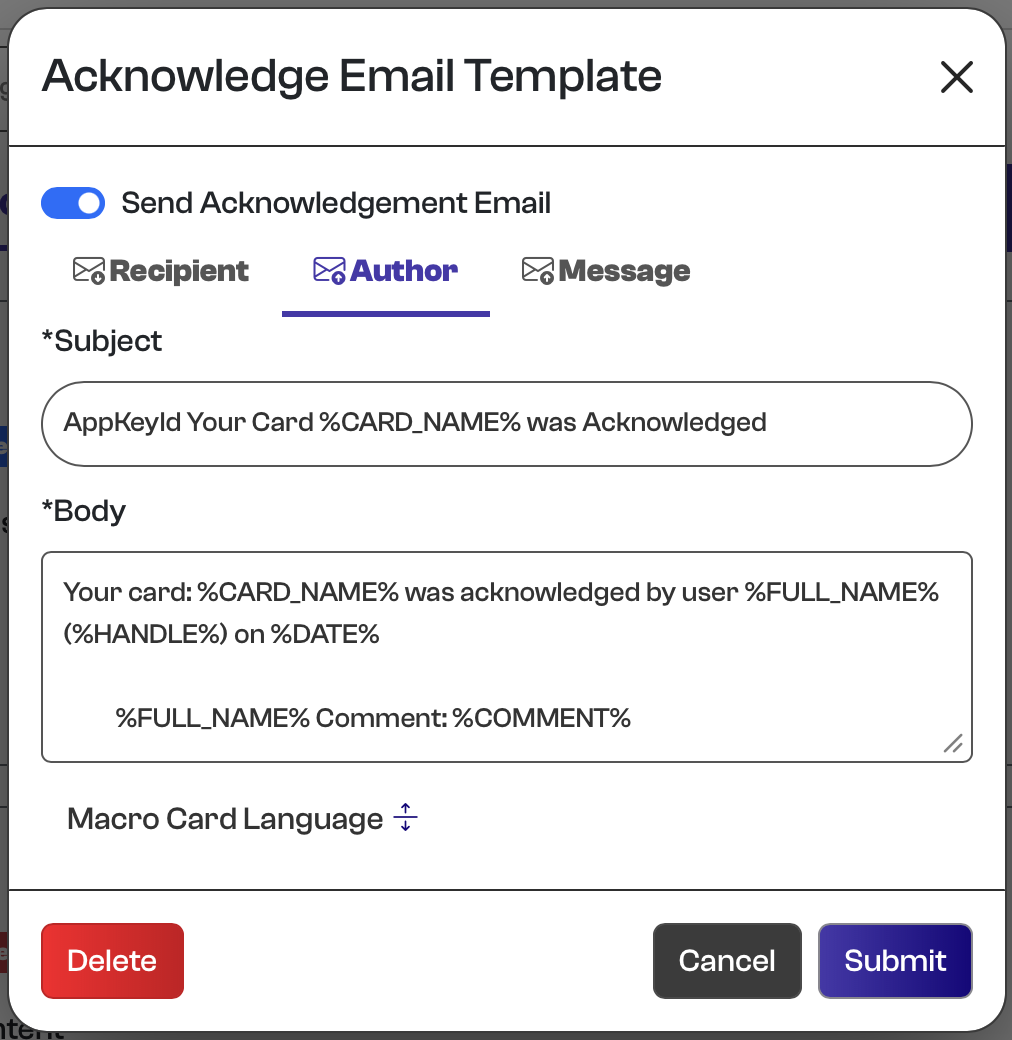
- Author - controls the message sent to the author of the card after a user acknowledges it
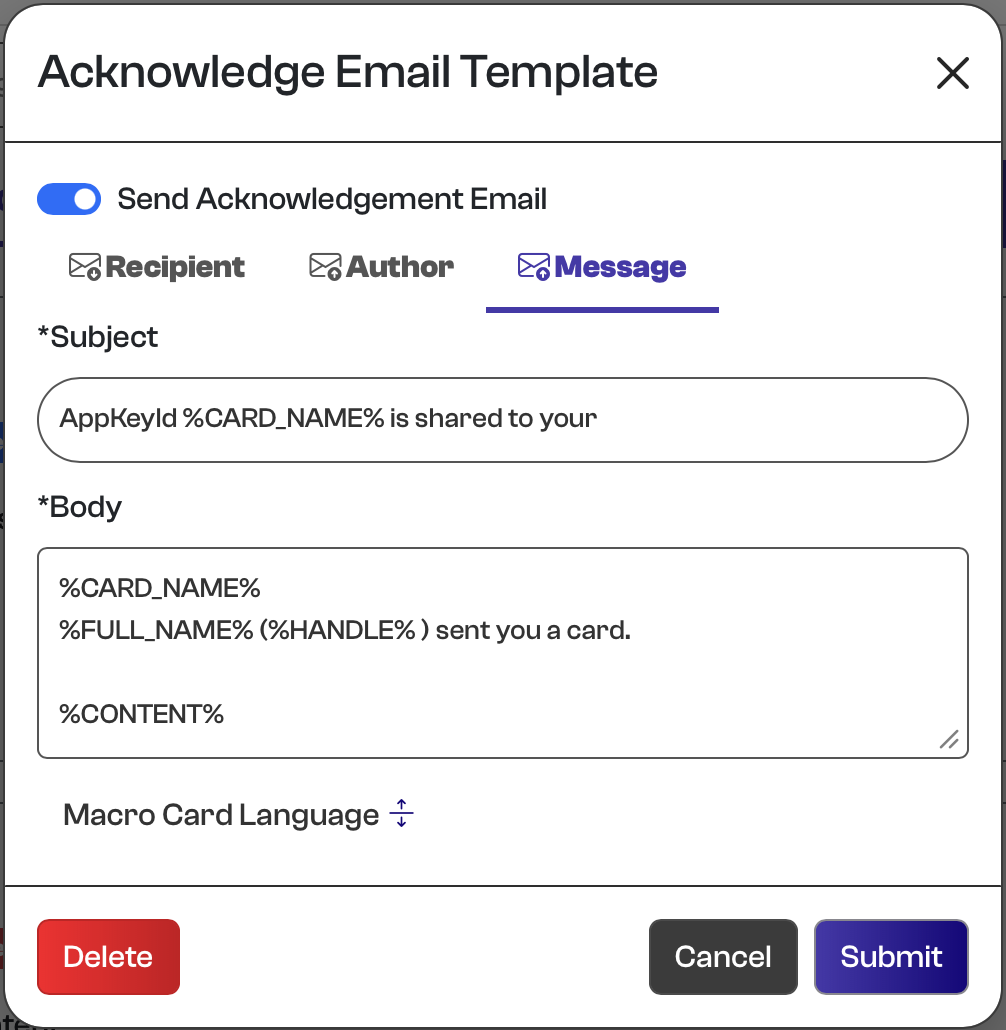
- Message - controls the message that is sent to a user after a card is shared with a user
Each card can define its own acknowledgement email template, although a default template is provided for convenience. The template consists of three configurable elements:
- Enabled – Enables or disables acknowledgement email notifications.
- Subject – The subject line of the acknowledgement email.
- Body – The content of the acknowledgement email.
The subject and body support a simple macro language that automatically substitutes values from the card and acknowledgement event.
| Macro | Description |
|---|---|
%CARD_NAME% | Title of the card. |
%EXPIRE_DATE% | Card expiration date. |
%HANDLE% | Handle (username) of the user who acknowledged the card. |
%FULL_NAME% | Full name of the user who acknowledged the card. |
%SENT_FULL_NAME% | Full name of the card author. |
%SENT_HANDLE% | Handle (username) of the card author. |
%DATE% | Date of card acknowledgment. |
%LINK% | link of the card. |
%QR_CODE% | QR code of the card for acknowledgment. |
The Recipient tab
The Author tab
The Message tab
Delete Card
The Delete Card function is available for all card types and is represented by the red trash can icon. To delete a card, the author must authenticate with their passkey, preventing anyone other than the author from performing the operation. Deleting a card is permanent and cannot be undone, so use this function carefully.
Card History
AppKeyId maintains strict versioning for every card. Because cards are the fundamental unit of attested communication, an acknowledgement must always refer to a specific version of the communication. This eliminates the ambiguity common in business communication when one party remembers agreeing to something differently from another. Whenever a card is updated, AppKeyId automatically increments its minor version; the author may also advance the major version when a change is significant. The Card History function allows the author to review every version of a card ever created, providing a clear record of exactly what information was presented and acknowledged at any point in time.
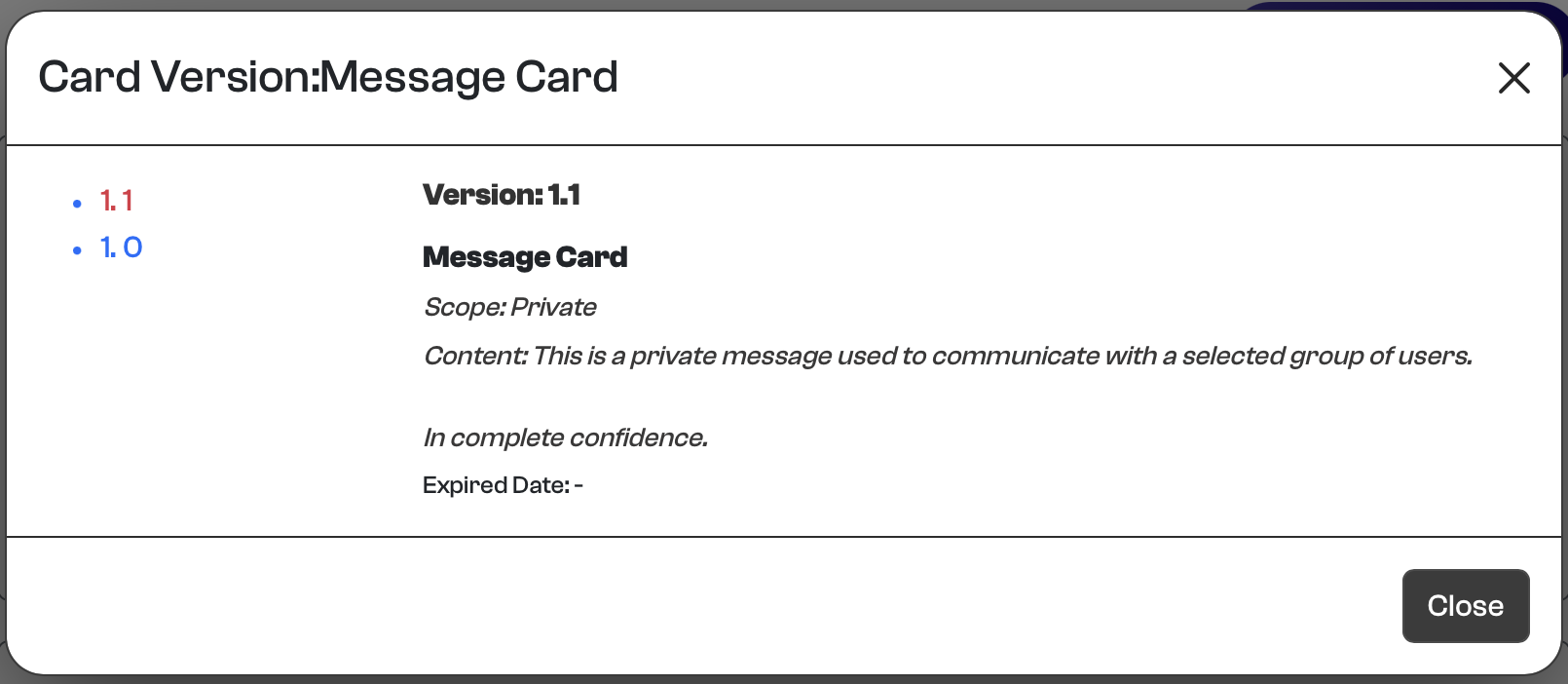
You can click on the version number in the left of the pane, to see the different card versions.