Message Card
Message cards are used for private messaging.
Message Cards are the foundation of AppKeyId’s Attested Communication system. They allow an author to send a private message to selected Contacts that only the intended recipients can access and acknowledge. When a recipient acknowledges the message, the author is notified.
Unlike traditional email or SMS, Message Cards provide several important capabilities:
- Restricted access — Only intended recipients can read the message and access its attachments.
- Verified acknowledgement — The author can verify the identity of the recipient with biometric confidence and record when and where the acknowledgement occurred.
- Expiration — The author can set an expiration time, limiting the period during which recipients can access the message.
- Geofencing — The author can geographically constrain where a Card can be viewed and/or acknowledged.
- Return URL — The author can specify a URL to which the recipient is automatically redirected after acknowledging the message.
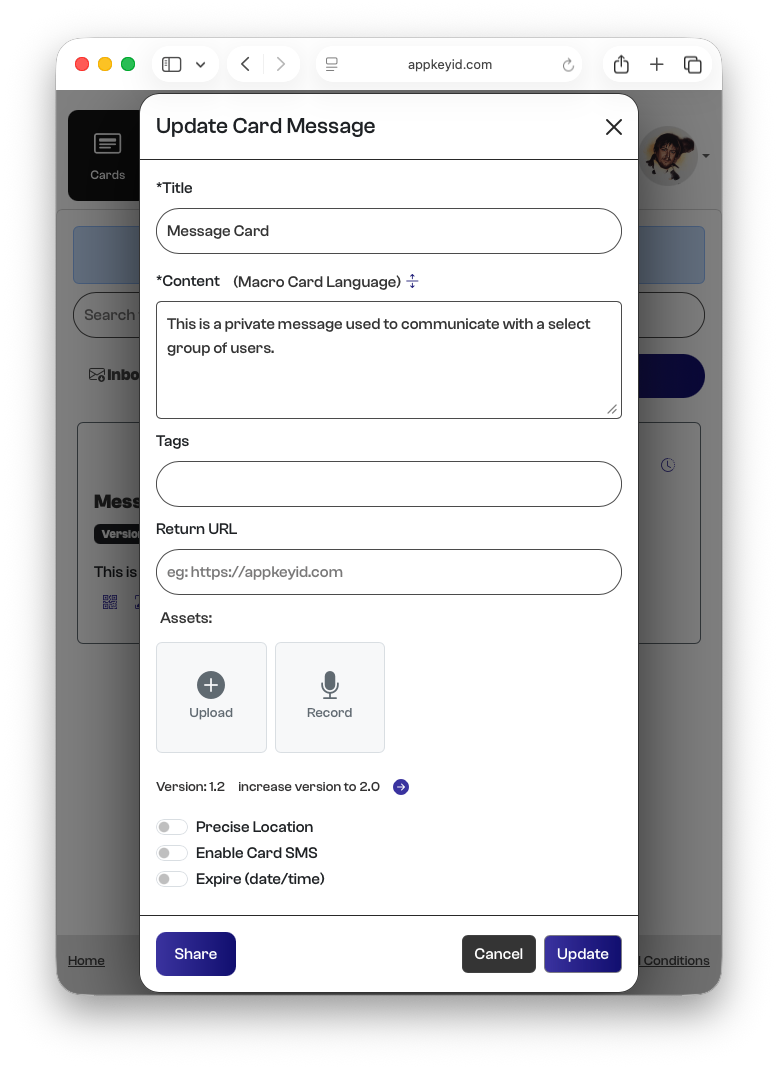
A Message Card consists of several components:
- Title — The title of the message.
- Content — The body of the message, written in Markdown and displayed to the recipient as formatted HTML.
- Tags — Keywords used to organize and search for messages in the Inbox and Outbox.
- Return URL — The web address to which the recipient is redirected after acknowledging the message.
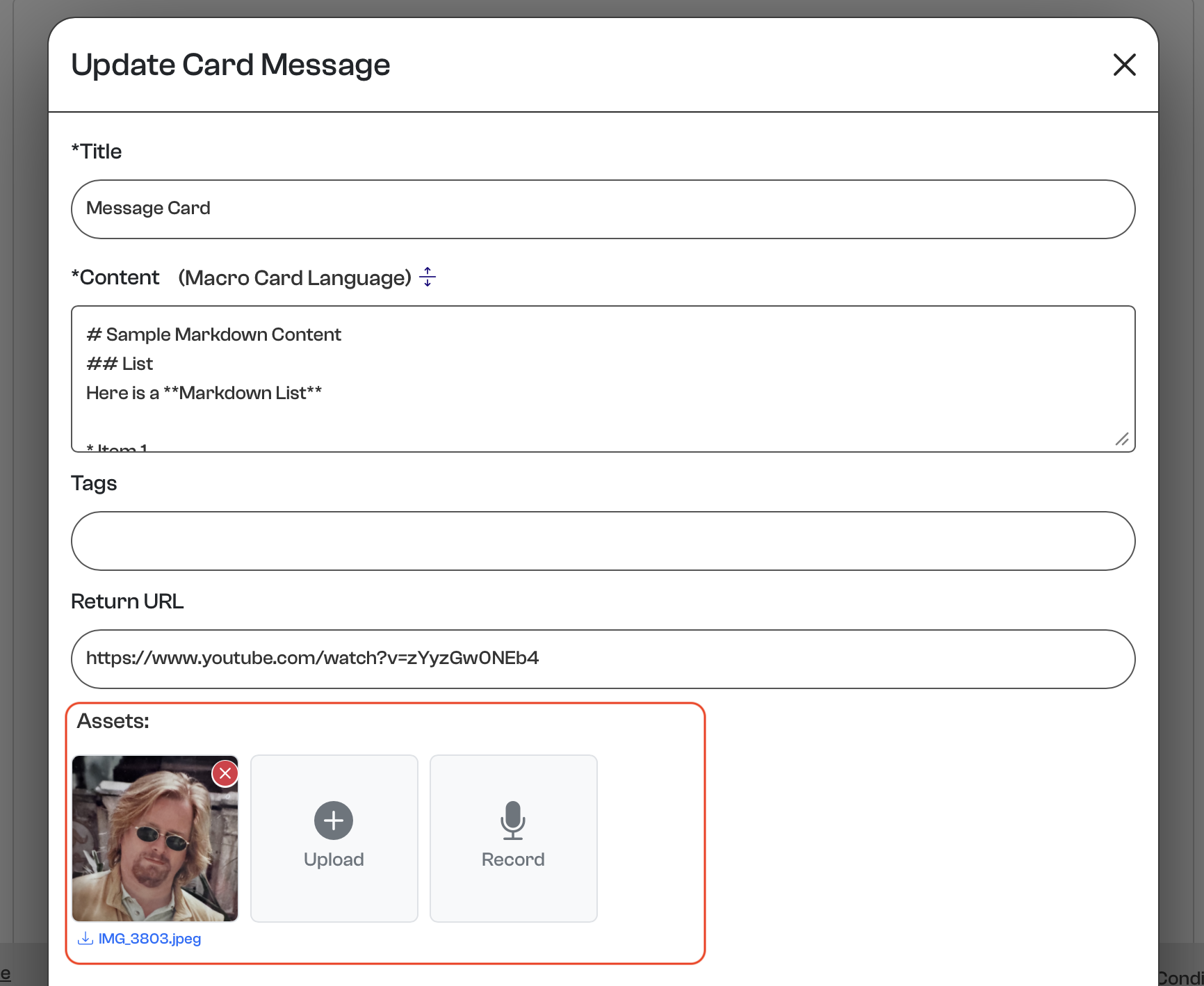
- Assets — Files attached to the message, including documents, images, video, and audio.
- Options — Additional message controls, including Precise Location, Enable Card SMS, and Expiration Date/Time.
Content Markdown
Markdown is particularly well suited to AppKeyId Cards because it provides richly formatted content without the complexity of a traditional document editor. Authors can create headings, lists, links, tables, images, emphasis, and other structured content using simple, human-readable text.
Unlike HTML or proprietary document formats, Markdown remains readable even in its original form. It is also lightweight, portable, easy to store, and can be reliably converted into HTML for display on virtually any device.
For AppKeyId, this is especially valuable because a Card is intended to be a durable unit of Attested Communication. Markdown keeps the content separate from its presentation: AppKeyId can preserve the original text as part of the Card’s permanent record while rendering it consistently for recipients on the web or mobile devices.
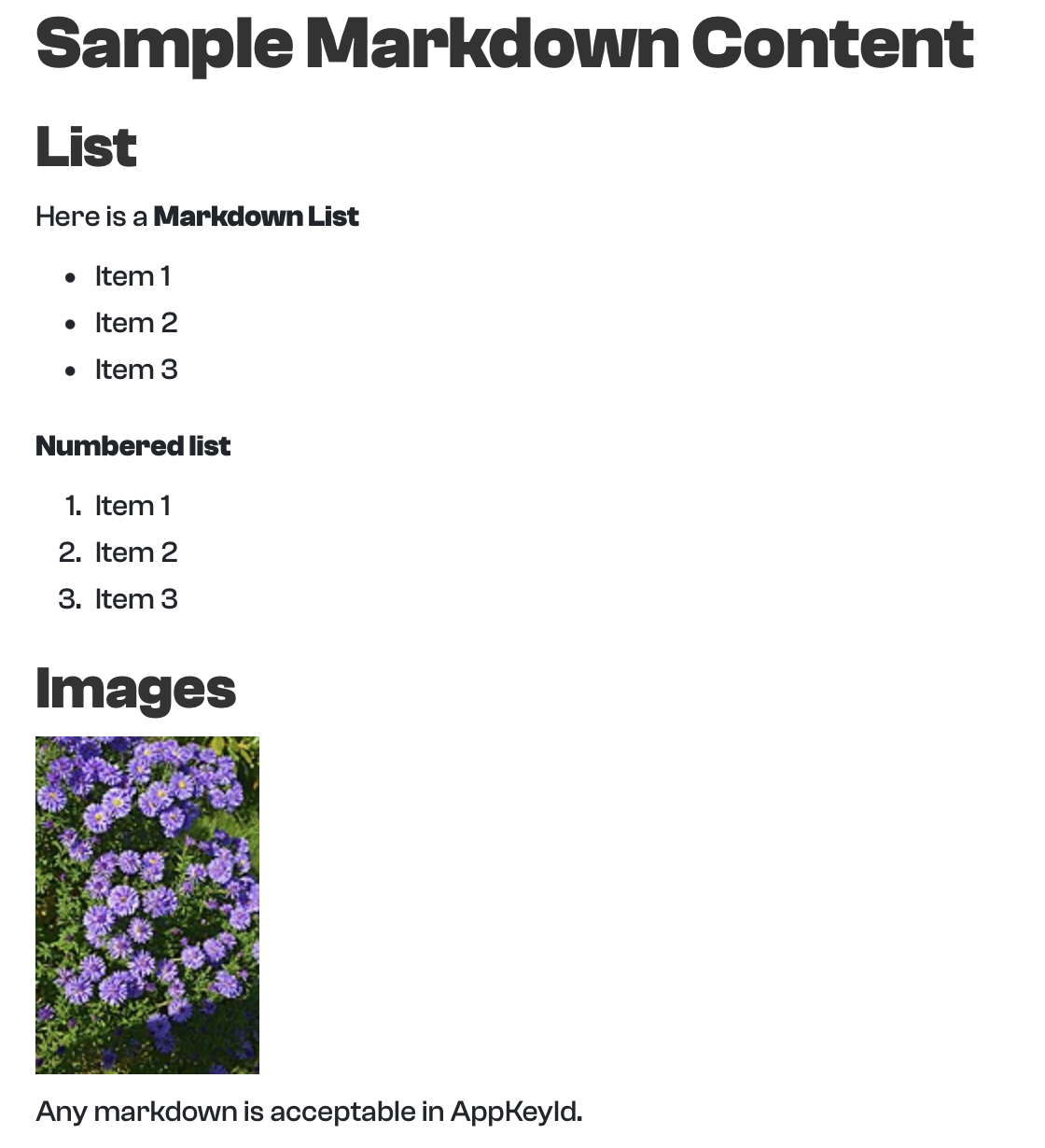
Here is some sample markdown that shows how easy it is to create headings, lists, and images.
# Sample Markdown Content
## List
Here is a **Markdown List**
* Item 1
* Item 2
* Item 3
**Numbered list**
1. Item 1
2. Item 2
3. Item 3
## Images

Any markdown is acceptable in AppKeyId.
The formatted content that is sent to the user's email with whom the card has been shared would look like this:
Tags
The Tags field allows an author to add descriptive keywords to a Card, making it easier to find later. Tags act as simple finder shortcuts for organizing and locating Cards without having to remember their exact titles or content.
Using the search bar at the top of the Inbox or Outbox, users can enter a tag to quickly locate Cards associated with that keyword. For example, Cards might be tagged with terms such as invoice, contract, training, or project-alpha.
Tags are particularly useful as the number of Cards grows, providing a simple way to categorize and retrieve related communications.
Return URL
The Return URL allows the author to specify a web page that is displayed after a user successfully acknowledges a Card. Once the acknowledgement is complete, AppKeyId opens the specified URL in a web view, allowing the recipient to continue directly to the author’s content.
This allows an AppKeyId Card to act as an authenticated portal to external web content. For example, an author might direct users to a website, document, application, registration page, or other online resource.
Unlike a traditional QR code, which generally provides little information about who followed the link, AppKeyId first requires the user to acknowledge the Card. The author therefore has a record of which authenticated user acknowledged the Card before proceeding to the external content, along with the acknowledgement information recorded by AppKeyId.
This Return URL displays a YouTube video featuring a Blue Heeler dog.

Assets
AppKeyId allows authors to attach Assets to Message Cards. Assets can include photos, videos, audio recordings, PDFs, Word documents, and other file types. Common media formats can be previewed directly within AppKeyId, although some file types may only be available for download and may not include a preview.
Asset storage depends on the author’s account plan. Free accounts include up to 10 MB of storage, while paid accounts include up to 20 GB.
These storage limits apply to the author storing and attaching Assets. There is no corresponding storage limitation for a Free user receiving a Card. A paid user can therefore share Cards containing Assets with Free users without those Assets counting against the recipient’s storage allowance.
Precise Location
AppKeyId supports Precise Location as part of a Card’s acknowledgement. Under the hood, the location is recorded as a precise latitude and longitude and can also be represented as a corresponding street address.
When Precise Location is enabled for a Card, AppKeyId attempts to record the recipient’s location when the Card is acknowledged. This requires the recipient to have Location Services enabled on their device and to grant the browser permission to access their precise location.
The resulting location becomes part of the Card’s acknowledgement record, providing the author with evidence of who acknowledged the Card, when it was acknowledged, and where the acknowledgement occurred.
Precise Location can also be used as an acknowledgement requirement. A Card may require the recipient to be at a specified location before the acknowledgement is accepted. This makes it possible to create location-dependent Attested Communications where physical presence is part of the attestation.
Enabling Location Services on iPhone
On an iPhone, Safari’s website location accuracy is controlled by both Location Services and Precise Location.
- Open Settings → Privacy & Security → Location Services.
- Make sure Location Services is On.
- Find Safari Websites in the list.
- Set Allow Location Access to While Using the App.
- Turn Precise Location On.
Then open your website in Safari. When the site requests your location, tap Allow.
If you previously denied location access to a particular website, in Safari open that site, tap the page/menu button in the address bar → Website Settings (wording can vary by iOS version) → Location → Allow.
Enabling Location Services on Android
On Android with Chrome, you need to allow precise location at both the Android and Chrome/site levels.
- Open Settings → Apps → Chrome → Permissions → Location.
- Select Allow only while using the app.
- Make sure Use precise location is turned On.
- Open Chrome and navigate to the AppKeyId website.
- When Chrome asks whether the site can use your location, select Allow.
If you previously denied location permission for AppKeyId, open the site in Chrome, tap the icon to the left of the address bar → Permissions → Location → Allow. You may need to reload the page afterward.
For the most accurate GPS result, Android’s Location service should also be enabled. Depending on the phone, you can find this under Settings → Location.
For your AppKeyId manual, the key distinction is: Android must give Chrome precise location permission, and Chrome must separately give AppKeyId permission to access that location.
Precise Location
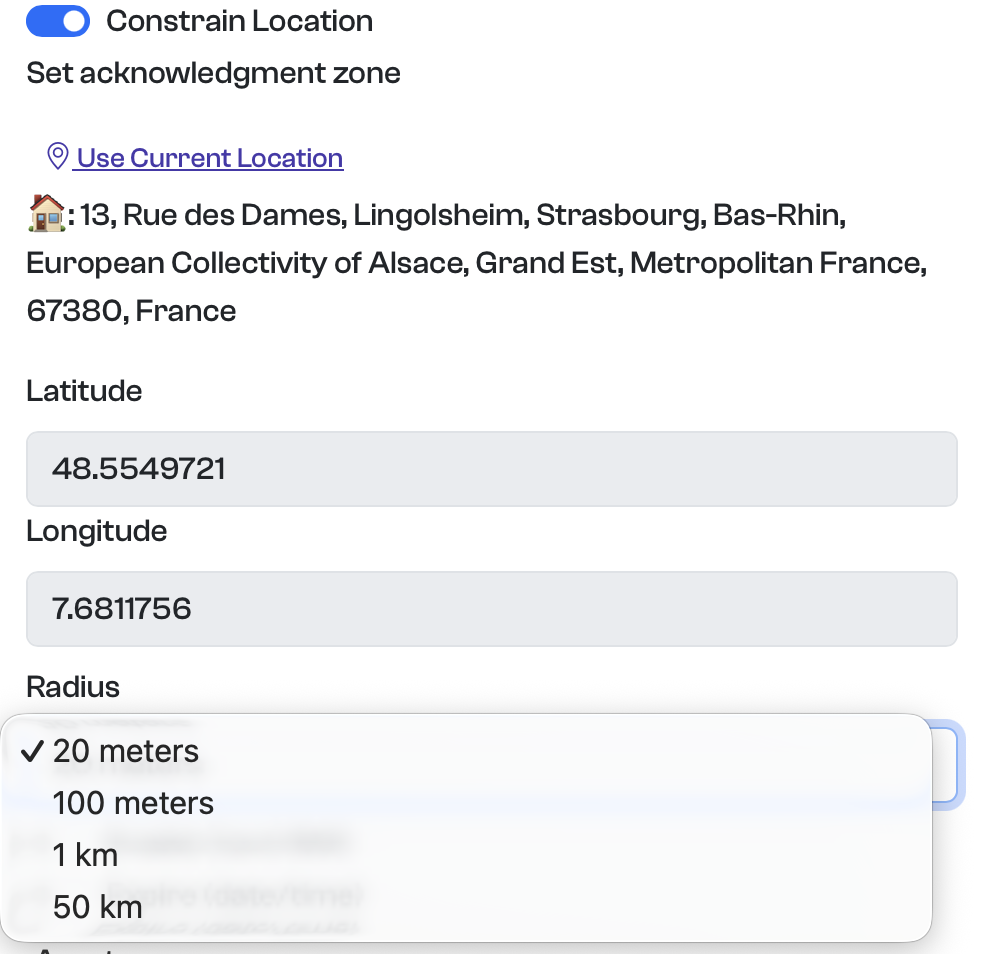
Constrain Location allows the author of a Card to require recipients to be within a specified geographic area before they can acknowledge the Card. This adds physical presence as a requirement of the acknowledgement.
To use Constrain Location, Precise Location must first be enabled for the Card. The author can then select Use Current Location to set the Card’s location to their current position. AppKeyId records this position as a latitude and longitude and also displays a human-readable address.
The Radius determines how close the recipient must be to the specified location. The default radius is 20 meters, which provides a relatively tight geographic constraint while allowing for variations in mobile-device location accuracy. Larger radii can be used when less precision is required. For example:
- 20 meters — a specific location or small property
- 50 meters — a specific location or small property and its garden
- 100 meters — a building, facility, or immediate surrounding area
- 1 kilometer — a neighborhood or campus
- 50 kilometers — a metropolitan area
When a recipient attempts to acknowledge a location-constrained Card, AppKeyId obtains the device’s current location and verifies that it falls within the permitted radius. If the recipient is outside the allowed area, the Card cannot be acknowledged.
Constrain Location can be useful in many situations. An employer could require an employee to acknowledge a Card while physically present at a work site. It could also be used for event check-ins, delivery confirmation, property inspections, construction-site verification, classroom or training attendance, service calls, equipment maintenance, or proof of presence at a particular location.
For location-constrained Cards to work, the recipient must use a device and browser that support precise location services. Location Services and precise location access must also be enabled and permission granted to AppKeyId through the browser.
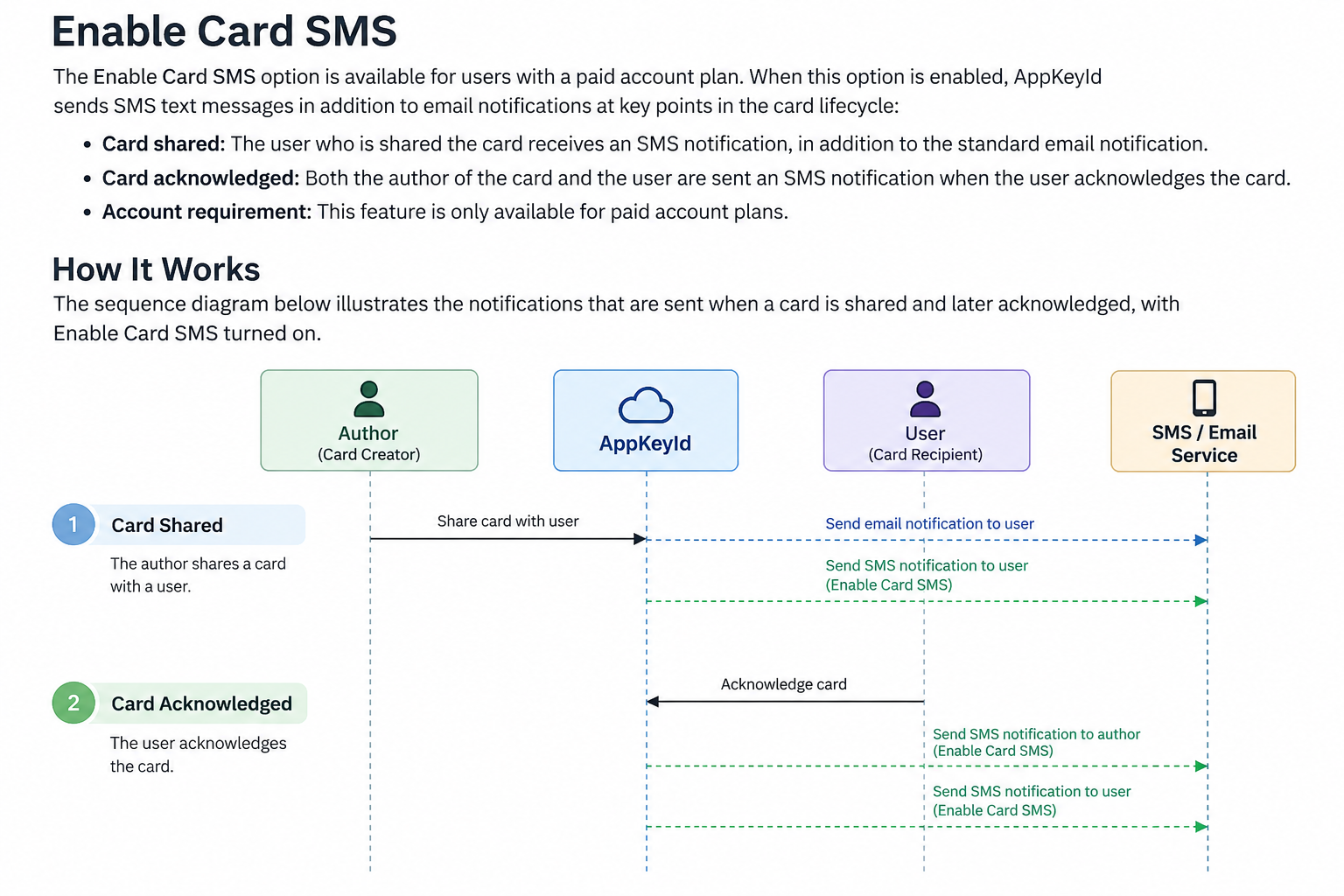
Enable Card SMS
The Enable Card SMS option is available to users with a paid AppKeyId account plan. When enabled for a Card, AppKeyId sends SMS notifications in addition to the standard email notifications associated with sharing and acknowledging that Card.
When the author shares the Card with a recipient, the recipient receives both an email notification and an SMS notification informing them that a Card has been shared.
When the recipient acknowledges the Card, AppKeyId sends an SMS notification to both the recipient and the author confirming that the acknowledgement has occurred.
This provides an additional notification channel for time-sensitive or important communications and helps ensure that both parties are promptly informed when a Card is shared and acknowledged.
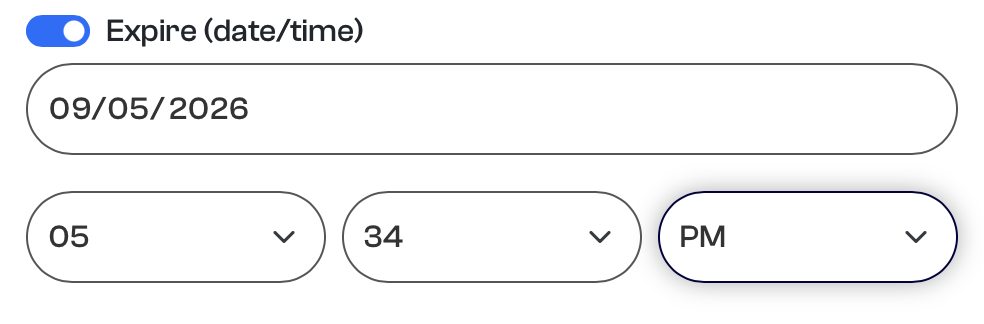
Expire
AppKeyId allows the author of a Card to specify a date and time when the Card will expire. This gives the author control over how long the Card’s content remains available to its recipients.
Once a Card has expired, recipients can no longer view or acknowledge the Card. This is particularly useful for time-sensitive communications where access should only be permitted during a specific period.
Card Expiration can be used for temporary notices, time-sensitive instructions, limited offers, event information, or any communication where the author wants to establish a defined window for access and acknowledgement.
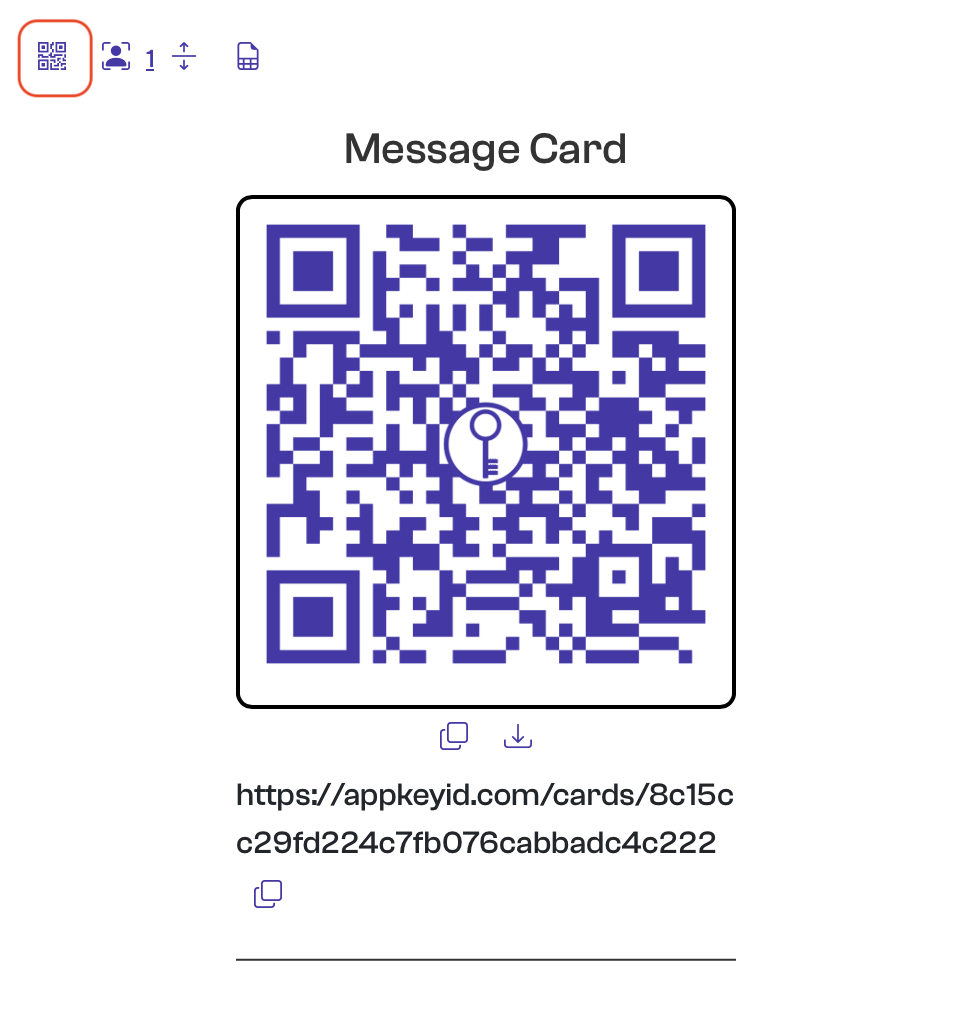
Card QR codes
The QR Code icon provides a convenient way to access and acknowledge a Card. Clicking the icon displays both a QR code and a web link that directs the user to the Card.
A recipient can scan the QR code with a mobile device or click the provided link to access and acknowledge the Card. For private Cards, the recipient must have the appropriate access rights before the Card can be viewed or acknowledged.
Both the QR code and link can be copied to the clipboard, making them easy to include in emails, messages, websites, or other communications. The QR code can also be downloaded as a PNG image for use in printed materials, signs, badges, documents, or other physical media.
Authenticated QR Codes
Traditional QR codes are essentially web links encoded as images. When scanned, they direct a person to a web page, but the owner of that page generally has no reliable way of knowing who scanned the code.
AppKeyId QR codes add an identity layer to this process. When a user scans an AppKeyId QR code, the Card can require the user to authenticate with their AppKeyId account and acknowledge the Card using their passkey. Instead of simply recording that an anonymous visitor followed a link, the Card author can obtain a verifiable record of who acknowledged the Card and when. When Precise Location is enabled, the acknowledgement can also record where it occurred.
This provides several advantages over a conventional QR code:
- Verified identity — Know which authenticated AppKeyId user acknowledged the Card.
- Proof of acknowledgement — Record that the user acknowledged the Card rather than simply opened a web page.
- Time and location — Record when and, when enabled, where the acknowledgement occurred.
- Access control — Private Cards can restrict access to specific users or Teams.
- Permanent record — The acknowledgement becomes part of the Card’s history.
- Physical-to-digital identity — Printed QR codes can provide an entry point to authenticated digital interactions.
In this way, an AppKeyId QR code is more than a link. It provides a bridge between a physical QR code and an authenticated, attested interaction with a known user.
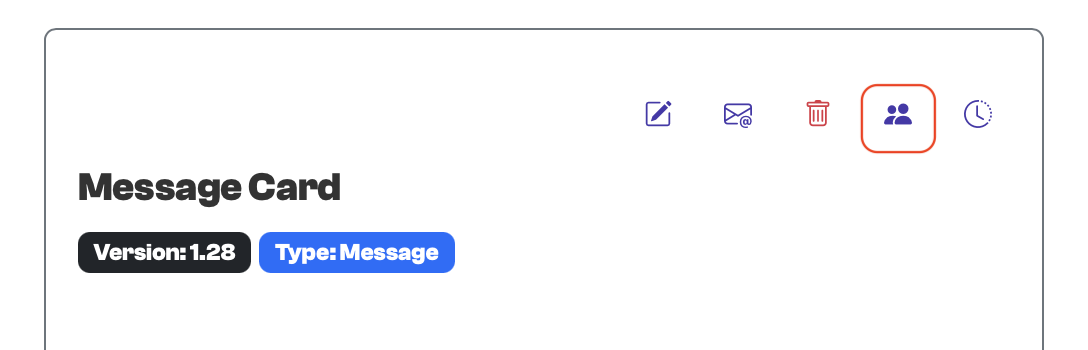
Edit Members
AppKeyId private Message Cards can only be viewed and acknowledged by users who have been explicitly granted access to the Card. Other AppKeyId users cannot view or acknowledge its contents.
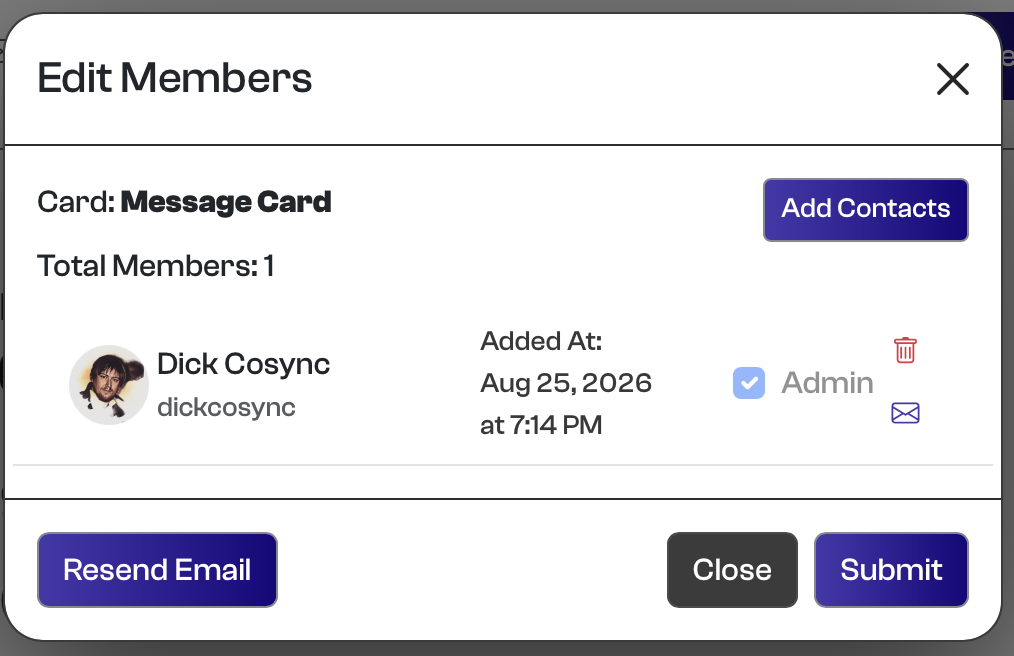
The Edit Members icon allows the Card author to control who has access. Selecting the icon opens a dialog where the author can add one or more of their Contacts as members of the Card. The author can also add themselves as a member, which is particularly useful for testing a Card and its acknowledgement process.
Instead of selecting individual Contacts, the author can also share a private Message Card with a Team, allowing the Card to be distributed to a predefined group of users.
When a Card is shared, its members receive an email notification informing them that the Card is available for acknowledgement. If Card SMS is enabled, eligible recipients can also receive an SMS notification.
Admin Members
AppKeyId also allows the author to assign an Admin role to selected Card members. Admin members are given additional rights to help manage the Card.
An Admin can:
-
Edit the Card and its contents.
-
Add other Contacts as members of the Card.
-
Manage the Card's membership on behalf of the author.
Admin members cannot delete the Card. Ownership and ultimate control of the Card remain with its original author.
This makes the Admin role useful when a private Card needs to be managed collaboratively while preserving the distinction between the Card's author and the users authorized to help administer it.